

AVG TuneUp Review
A slow computer does not always need new hardware. Years of temporary files, unused applications, browser data, background processes, and startup programs can gradually make a system feel less responsive. AVG TuneUp is designed to tackle exactly these problems.
AVG TuneUp is a maintenance and optimization suite from AVG that combines storage cleanup, application management, automatic maintenance, software updating, and performance tools in a single interface. It is available for Windows and Mac, with related cleanup tools for Android and iOS.
But does AVG TuneUp actually make a PC faster, or does it simply automate tasks that Windows can already perform for free? In this AVG TuneUp review, we examine its main features, performance, pricing, safety, advantages, disadvantages, and whether it is worth paying for in 2026.
What Is AVG TuneUp?
AVG TuneUp is a system optimization program designed to keep computers cleaner and reduce unnecessary resource usage.
Rather than acting as an antivirus, TuneUp focuses on maintenance. It looks for unnecessary files, browser clutter, outdated applications, background programs, broken shortcuts, and other items that may be taking up storage or consuming system resources.
Its main tools currently include:
- Disk Cleaner
- Browser Cleaner
- Quick Clean
- Automatic Maintenance/Auto-Clean
- Sleep Mode and background-process management
- Software Updater
- App Uninstaller
- Broken shortcut cleanup
- Registry cleanup
- Cloud Cleaner
- Unused-program detection
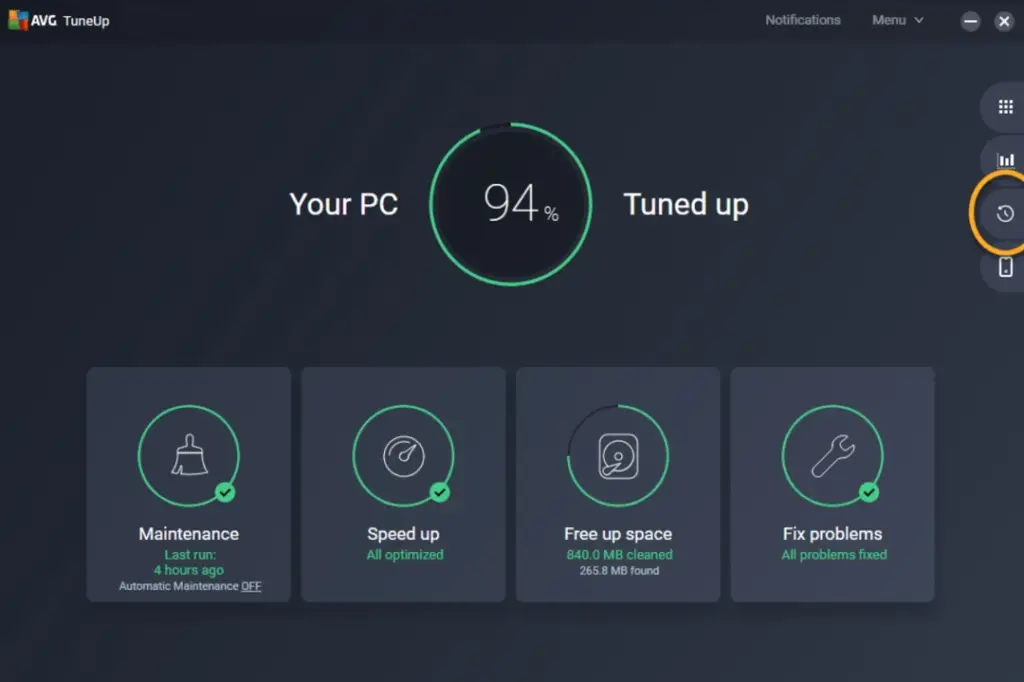
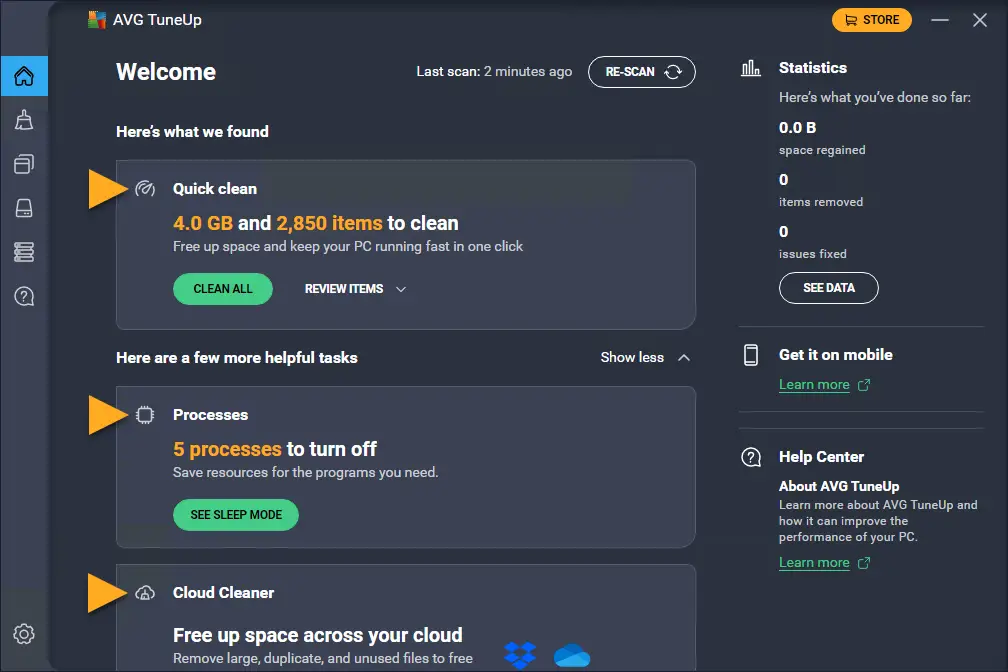
AVG’s current Windows version combines many of these tools into its main dashboard, allowing users to perform a general system scan and then decide which problems to fix.
The biggest attraction is convenience. Many of these tasks can be completed manually in Windows, but AVG brings them together and automates much of the process.
AVG TuneUp Key Features
1. Quick Clean
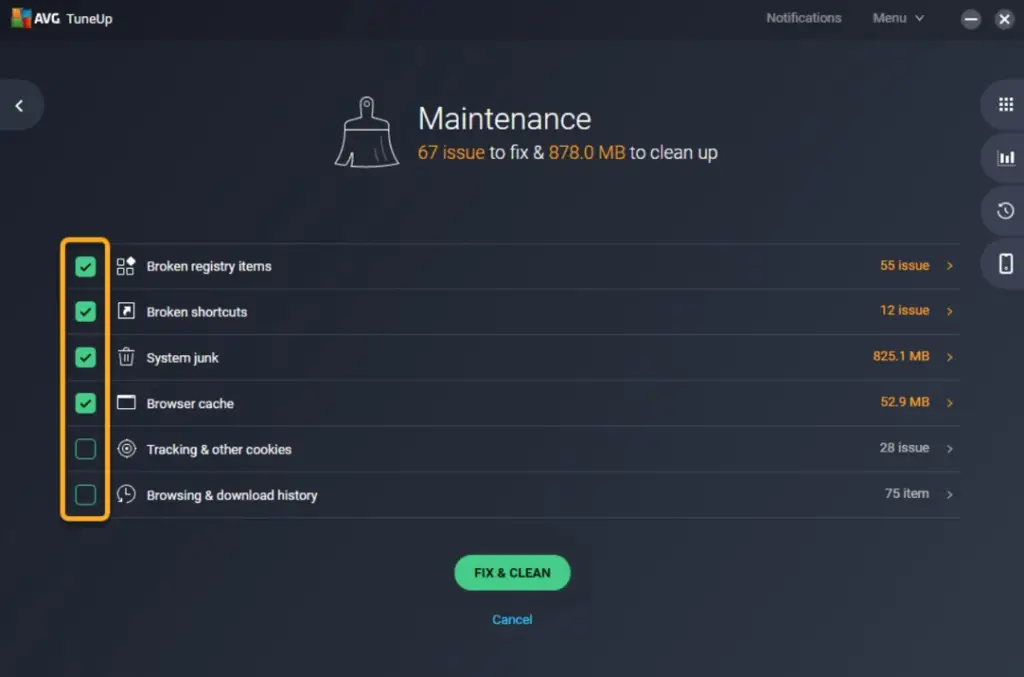
Quick Clean is the simplest way to use AVG TuneUp.
After scanning your computer, it groups common maintenance tasks together, including:
- system junk
- browser data
- broken shortcuts
- outdated registry entries
Instead of opening several different utilities, you can review the detected items and clean them from one screen.
This feature is particularly useful for beginners who do not want to spend time navigating Windows settings and manually deciding which temporary files can be removed.
2. Disk Cleaner
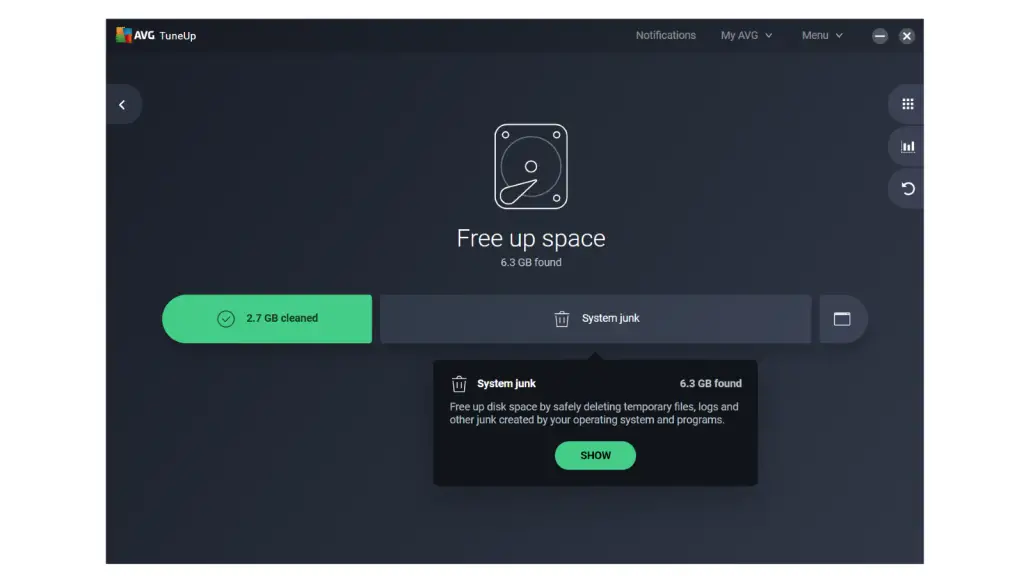
Disk Cleaner searches the computer for files that are no longer necessary.
Typical examples include:
- temporary files
- application caches
- Windows logs
- installer leftovers
- old backup files
- Recycle Bin contents
AVG provides Basic, Full, and Custom cleaning modes.
The Custom option is generally the best choice when using the program for the first time because it lets you see exactly what TuneUp intends to delete.
There is one important warning. AVG’s Full cleaning mode can include files in the Downloads folder. You should therefore review the selections before confirming a large cleanup.
For computers that have been used for several years without regular maintenance, Disk Cleaner can potentially recover several gigabytes of storage.
3. Browser Cleaner
Modern browsers can accumulate a surprising amount of data.
AVG Browser Cleaner can remove:
- cached files
- cookies
- browsing history
- temporary browser files
- tracking data
You can clean individual browsers and choose which categories should be removed.
AVG also lets you create a cookie allowlist. This is useful because constantly deleting every cookie can sign you out of websites you use every day.
Automatic browser scans can also be scheduled.
Users should be more cautious with Full cleaning mode because it can remove saved autofill information.
4. Sleep Mode
Sleep Mode is one of the more interesting AVG TuneUp features.
Many applications continue running background services even when you are not actively using them. Individually, these programs may consume very little CPU or memory, but dozens of them running simultaneously can affect older or lower-powered computers.
AVG identifies background applications and allows you to place them into a sleeping state.
When you launch the program again, it works normally. After you close it, AVG can return it to sleep.
This can potentially improve:
- startup responsiveness
- available RAM
- CPU utilization
- laptop battery life
However, you should not put every program to sleep.
Communication applications, cloud synchronization software, hardware utilities, and programs that rely on notifications may need to continue running in the background. AVG itself warns that putting an app such as WhatsApp to sleep could prevent incoming notifications or calls.
Sleep Mode is therefore best used selectively.
5. Software Updater
Outdated third-party applications can cause compatibility problems and sometimes introduce security risks.
AVG TuneUp scans installed applications and identifies software for which newer versions are available.
Depending on your settings, updates can then be installed manually or automatically.
This is convenient if you have many applications installed and do not want to check each one individually.
One important distinction: AVG Driver Updater is a separate AVG product. TuneUp includes a Software Updater for applications, but users looking specifically for automatic hardware-driver management should not assume that the standalone Driver Updater is included. AVG currently lists the two as separate products.
6. App Uninstaller
TuneUp can analyze installed applications and help identify software that has not been used for a long time.
You can then remove unwanted programs through the App Uninstaller.
This is particularly useful on manufacturer-built PCs that arrive with:
- trial software
- promotional utilities
- duplicate media players
- unnecessary manufacturer applications
- programs installed years ago and forgotten
Removing unwanted software can reclaim storage and may also reduce the number of background services running on the computer.
AVG also lets you change how long an application must remain unused before it is categorized as an unused program.
7. Automatic Maintenance
If you do not want to run TuneUp manually every few weeks, automatic maintenance is one of its biggest conveniences.
AVG can periodically scan for disposable data and remove selected types of clutter automatically.
Users can choose:
- how often scans occur
- which categories AVG may clean
- which items should be ignored
AVG recommends a predefined selection of file categories that it considers safe for automatic cleaning.
For most users, automatic maintenance is more valuable than repeatedly opening the program and running one-click scans.
8. Cloud Cleaner
Newer versions of AVG TuneUp also include Cloud Cleaner functionality.
It can identify:
- duplicate files
- unusually large files
- older files
stored in supported cloud storage services so users can reclaim online storage space.
It is not an essential performance tool, but it is a useful addition for people who regularly approach their cloud-storage limits.
Does AVG TuneUp Actually Speed Up Your PC?
This requires some perspective.
AVG advertises substantial performance improvements in its own tests, including claims of up to 30% faster performance and substantially quicker startup times. AVG notes that these are internal laboratory results and that real-world results vary.
TuneUp can genuinely make a difference in certain situations, particularly when a computer has:
- dozens of startup applications
- many unnecessary background programs
- very little free storage
- years of temporary files
- unwanted applications
- large browser caches
The biggest improvement usually comes from reducing background activity rather than simply deleting a few temporary files.
Independent reviewers have also generally found AVG’s cleanup tools effective. Tech Advisor, for example, praised TuneUp’s usability and cleaning performance, while a 2025 Macworld review found that the Mac version could reclaim significant storage space and offered strong customization, although it also noted several interface bugs.
TechRadar’s 2026 system-utilities roundup highlighted AVG TuneUp particularly as an accessible choice for less technical users.
However, expectations should remain realistic.
AVG TuneUp cannot compensate for:
- insufficient RAM
- an extremely old processor
- an overheating laptop
- failing storage
- malware
- an overloaded mechanical hard drive
- inadequate hardware for modern games or applications
If a ten-year-old laptop has 4 GB of RAM and an old mechanical hard drive, TuneUp may make Windows somewhat more responsive, but installing an SSD or adding RAM would usually produce a much larger improvement.
Registry Cleaner: Should You Use It?
AVG TuneUp can identify and remove invalid or outdated registry entries.
This is one feature we would treat cautiously.
Registry cleaning was much more heavily marketed years ago, when optimization suites often suggested that hundreds of unused registry entries could dramatically slow down Windows.
In modern Windows versions, deleting unused registry keys generally provides little measurable performance benefit.
Microsoft has historically advised against routine use of registry-cleaning utilities because incorrect changes can cause application or operating-system problems.
Therefore, registry cleaning should not be the main reason to buy AVG TuneUp.
The more useful features are disk cleanup, software management, background-app control, and automatic maintenance.
User Interface and Ease of Use
Ease of use is one of AVG TuneUp’s biggest strengths.
The interface is designed around users who do not necessarily understand Windows maintenance.
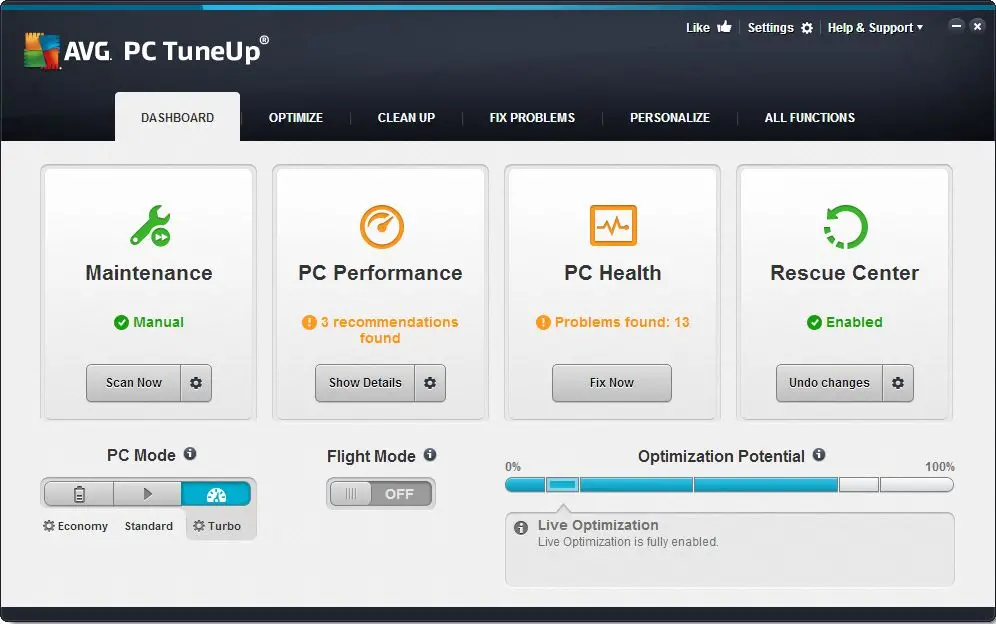
Instead of showing dozens of technical parameters immediately, TuneUp presents a dashboard containing recommendations and clearly categorized tools.
A typical workflow looks like this:
- Install AVG TuneUp.
- Run the initial scan.
- Review detected problems.
- Clean unnecessary files.
- Check background applications.
- Update outdated software.
- Remove unused applications.
- Configure automatic maintenance.
More experienced users can open individual cleaning tools and customize what TuneUp is allowed to remove.
This combination of simplicity and customization is one reason TuneUp remains attractive despite many of its individual functions being available elsewhere.
AVG TuneUp for Mac
AVG TuneUp is not limited to Windows.
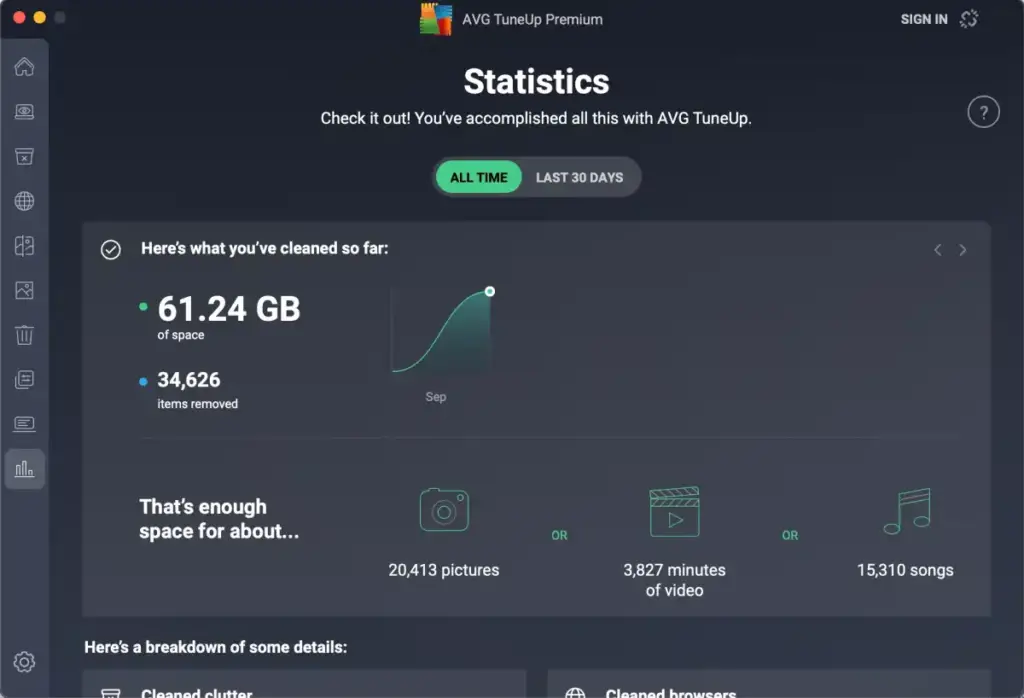
The Mac version focuses more heavily on storage management and includes tools for:
- cleaning clutter
- browser cleanup
- finding duplicates
- identifying large files
- removing applications
- finding unwanted or low-quality photos
AVG also provides an AI-assisted Photo Finder that can help identify similar or poor-quality images.
Macworld’s 2025 review found the software effective at recovering storage and praised its customization options, although the reviewer encountered interface and authentication-related bugs.
Consequently, TuneUp makes somewhat more sense on a Mac when the primary goal is storage organization rather than raw system acceleration.
AVG TuneUp Pricing
AVG uses a subscription model.
At the time of our August 2026 check, AVG’s U.S. store listed AVG TuneUp for up to 10 devices at approximately $34.68 for the first year, discounted from a $79.99 annual renewal price. Promotions vary by region and can change frequently.
AVG also offers a 30-day trial for TuneUp through its product-selection page.
The multi-device subscription is potentially attractive for families because one subscription can cover several devices rather than a single computer.
However, the renewal price deserves attention.
The introductory price can make TuneUp look inexpensive, but users who leave automatic renewal enabled may pay considerably more in subsequent years.
Always check:
- introductory price
- renewal price
- number of covered devices
- local taxes
- whether automatic renewal is enabled
before purchasing.
AVG TuneUp System Requirements
AVG currently supports Windows 11 and Windows 10, while its compatibility pages also continue to list older Windows releases.
Its current system information lists approximately:
- 4 GB RAM
- 2 GB free storage
- Windows 11, Windows 10, Windows 8, or Windows 7 on supported configurations
For ARM-based Windows PCs, AVG currently specifies Windows 11 support.
The Mac version supports macOS 10.12 Sierra or later according to AVG’s current compatibility information.
Is AVG TuneUp Safe?
AVG is an established cybersecurity software company, and TuneUp itself is legitimate software rather than malware or scareware.
Nevertheless, every system-cleaning application should be used carefully.
Before deleting large amounts of data:
- review Downloads
- check browser autofill selections
- avoid cleaning anything you do not understand
- do not blindly disable every background application
- be conservative with registry cleaning
The good news is that TuneUp gives users considerable control over what is removed instead of forcing an all-or-nothing cleanup.
Using Recommended or Basic cleaning settings is generally a better approach for beginners than immediately choosing the most aggressive Full mode.
Does AVG TuneUp Replace Antivirus Software?
No.
AVG TuneUp is a maintenance utility, not a complete antivirus package.
It can:
- clean files
- update applications
- manage programs
- reduce background processes
- optimize storage
It is not designed to provide full malware protection.
AVG sells separate antivirus and Internet Security products, while AVG Ultimate combines security, VPN, and TuneUp functionality in a larger package.
If you already have Windows Security, AVG Antivirus, Bitdefender, Norton, or another security program, TuneUp can coexist as a maintenance utility.
AVG TuneUp vs. Windows Built-In Tools
This is arguably the biggest question prospective buyers should ask.
Modern Windows already provides several free maintenance features.
You can manually:
- delete temporary files
- enable Storage Sense
- uninstall applications
- disable startup applications
- clear browser data
- optimize drives
- update many applications
- monitor background processes
Therefore, AVG TuneUp does not unlock some secret level of Windows performance that would otherwise be unavailable.
What you are paying for is primarily automation and convenience.
Instead of learning where five or six Windows settings are located, TuneUp puts them inside one dashboard and periodically handles the work for you.
Technical users who already maintain their PCs manually may therefore find TuneUp unnecessary.
Less experienced users may find the convenience worthwhile.
AVG TuneUp Pros and Cons

Pros
- Extremely easy to use
Good disk-cleaning tools
Convenient automatic maintenance
Useful Sleep Mode for background applications
Software updater included
Helps identify unused applications
Good control over cleaning selections
Browser cleanup with cookie exceptions
Multi-device subscription available
Windows and Mac support
Useful for less technical users

Cons
- Most functions can be performed manually for free
Annual subscription rather than a one-time purchase
Renewal price is significantly higher than some introductory offers
Registry cleaning provides questionable practical benefit
Aggressive cleaning settings require careful review
Performance gains depend heavily on the condition of the computer
Does not fix hardware limitations
AVG Driver Updater is a separate product
Who Should Buy AVG TuneUp?
AVG TuneUp makes the most sense for someone who:- wants PC maintenance largely automated
- has several family computers or devices
- does not want to manually manage Windows maintenance
- frequently runs low on storage
- has many programs installed
- has too many background processes
- wants one dashboard for routine maintenance
It is especially useful for maintaining several household computers because the multi-device license spreads the subscription cost across multiple machines.
Who Probably Does Not Need AVG TuneUp?
You probably do not need it if:
- you already use Windows Storage Sense
- you routinely manage startup applications
- you manually uninstall unused programs
- you know how to clear temporary files
- your computer is already fast and well maintained
- you primarily want higher gaming FPS
- your PC’s real problem is inadequate hardware
A knowledgeable Windows user can reproduce much of TuneUp’s functionality without paying for additional software.
AVG TuneUp Alternatives
CCleaner
CCleaner is probably TuneUp’s best-known competitor.
It offers similar cleanup and maintenance features and may appeal more to users who want greater control over individual cleaning categories.
AVG TuneUp generally feels more guided and beginner-friendly.
Windows Built-In Tools
For experienced users, the strongest free alternative is simply Windows itself.
Storage Sense, Task Manager, Startup Apps, Installed Apps, and Windows’ storage-management tools cover many of the most important TuneUp functions.
Other Optimization Suites
Other established TuneUp competitors include:
- Iolo System Mechanic
- Ashampoo WinOptimizer
- Fortect
TechRadar’s 2026 system-utilities comparison includes AVG alongside several of these alternatives, noting AVG’s accessibility as one of its strengths.
Is AVG TuneUp Worth It in 2026?
AVG TuneUp is worth considering, but not because it performs miracles.
Its strongest advantage is convenience.
Disk cleanup works well, Sleep Mode can reduce unnecessary background activity, Software Updater is useful, and Automatic Maintenance means users can largely configure the application once and allow it to handle routine housekeeping.
Its biggest weakness is that modern operating systems already provide many similar tools.
For someone comfortable managing Windows manually, paying an annual subscription is difficult to justify.
For someone maintaining several PCs who wants a simple, mostly automatic solution, TuneUp becomes considerably more appealing.
The discounted first-year multi-device price also improves its value, although buyers should pay attention to the higher renewal price.
Overall Rating: 8.2/10
Cleaning tools: 9/10
Ease of use: 9/10
Performance optimization: 8/10
Features: 8.5/10
Value for money: 7.5/10
Advanced-user value: 6.5/10
Final Verdict
AVG TuneUp is a polished and beginner-friendly maintenance suite that makes cleaning and managing a computer much easier.
It is particularly good at removing unnecessary files, identifying unwanted applications, controlling background programs, and automating routine maintenance. Its clean interface also makes system optimization accessible to users who would otherwise avoid digging through Windows settings.
What it does not do is magically transform outdated hardware into a high-performance computer. Many of its features also overlap with free tools already built into Windows and macOS.
For technically experienced users, AVG TuneUp is mainly a convenience product.
For less technical users, families with several devices, or anyone who wants maintenance largely handled automatically, it remains one of the more straightforward system optimization packages available in 2026.
Bottom line: AVG TuneUp is a good PC cleaner and maintenance utility, but its real value lies in automation and ease of use rather than dramatic performance boosts.
READ ALSO: How to Speed Up Your Computer?

Hi, this is Masab, the owner and founder of the PC Wire. I’m a PC enthusiast who loves to talk about computers. I have been testing PC hardware for several years now, and I hope my knowledge would answer your queries thoroughly.